Screencast from your phone to your LG TV
TV Cast for LG webOS is a free-to-download lifestyle app that lets you use your LG webOS or Netcast TV to stream movies, videos, and songs online or offline from your mobile device. This app requires no streaming box in order to work. This only works for modern LG televisions.
Top Recommended Alternative
TV Cast for LG webOS is developed by 2kit Consulting and requires some payment to use all of its features without any interruptions. To enable video casting, open the LG App Store on your TV, search for 'TV Cast', and install the companion app needed for the cast to work.
Screencast anything on your LG TV
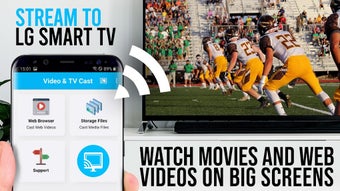
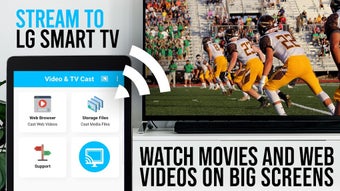
With TV Cast for LG webOS, you can browse through the web and stream any video, audio, movie, podcast, or live TV show you want on your LG Smart TV. Just navigate to any website and send the embedded video with a single tap to your LG TV. The discovered media will be shown below the browser. A press on the video link will be shown to your LG TV immediately.
To establish a connection, scan the QR Code displayed on your TV or manually input your device's IP Address using the number pad and directional keys or the scroll wheel on your TV remote. This will finally complete the pairing and now you can start streaming. Unlike Miracast, which is limited by your phone's resolution, this app enables Full HD casting even on lower-resolution devices or in older smartphone models.
This app also minimizes Wi-Fi usage by loading videos directly on your LG TV during casting, whereas Miracast routes all videos through your phone, increasing data consumption. Finally, this app has broader device compatibility compared to Miracast. However, keep in mind that this tool doesn’t play content from third-party apps, Flash, Google Play, Netflix, Amazon, HBO, and other platforms with DRM protection. Still, this is a great streaming and casting app.
A great streaming app, with some caveats
TV Cast for LG webOS allows you to stream online content from your phone to your LG TV. It's easy to use, requiring only the TV Cast app on your phone and the companion app on your TV. It supports various video formats and offers Full HD casting. While it has limitations with DRM-protected content, it provides a convenient solution for enjoying media on your TV without a separate streaming device.